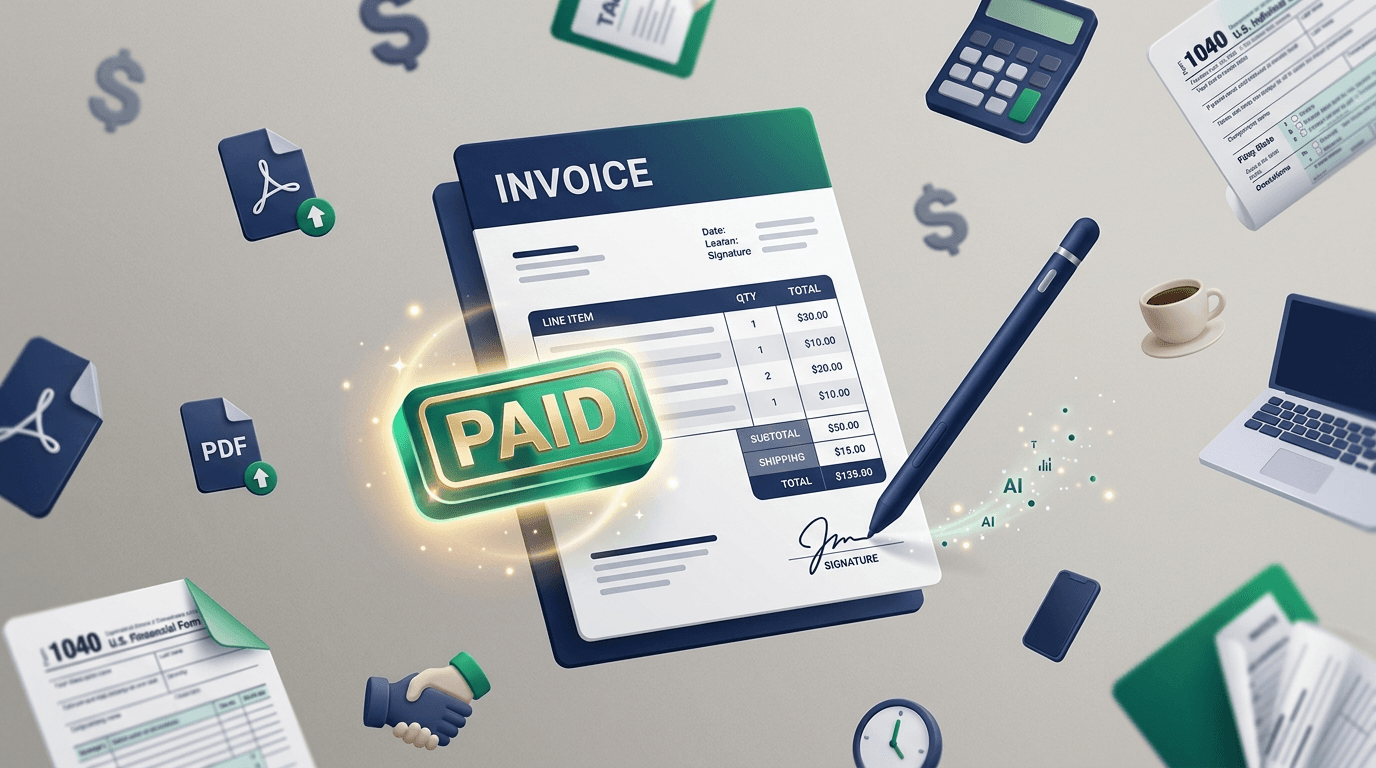
The Free Invoice Tool Paradox
Priya just finished her first paid design project. Two weeks of work, $4,500 owed. She opens Invoice Simple on her laptop, fills in fifteen fields — sender, client, line items, dates, tax — and hits Download PDF. A modal pops up: sign up to continue. She creates an account, verifies the email, clicks back to the invoice, and finds a watermark across the PDF that reads "Invoice Simple Free". To remove it, upgrade to Pro. $9.99 a month.
This is the free invoice tool paradox. A search for "free invoice generator" returns QuickBooks, Canva, HubSpot, Zoho, Invoicer.ai, Wave, Venngage, and a dozen others — all promising "100% free" in the title tag. But free has degrees. Some are free-free. Some are free-with-signup. Some are free-with-watermark. Some are free-with-three-invoices-a-month-then-paywall. And a few — the ones most freelancers actually want — are quietly free without an account, without a download limit, and without nagging you to upgrade. Those are harder to find than they should be.
I spent an afternoon testing six invoice generators on the exact same scenario — a freelance web developer invoicing a SaaS startup for a two-week sprint — to see which ones actually let you send an invoice without first surrendering an email address or a credit card. The results thinned the field out faster than I expected.
What actually matters in an invoice generator
Before picking tools, here's my short list of what makes a free invoice generator genuinely useful for a freelancer or small business owner — the criteria I tested each tool against.
Genuinely free. No trial expiration. No "3 invoices per month" cap that quietly kicks in on day four. No watermark on the PDF that you'd have to apologize for.
PDF download without signup. This is the single biggest differentiator. Almost every free tool makes you enter an email before the download button works. That email becomes marketing list fodder, and the tool's retention loop is built around the upsell. The tools that skip this step are the ones that respect your time.
Your currency, not just USD. Freelancers are global. A Karachi-based developer invoicing a German agency wants EUR. An Australian consultant billing a Singaporean client wants AUD. Tools built around US-centric assumptions fall over here.
Handles taxes correctly. VAT in Europe, GST in India and Australia, HST in parts of Canada, sales tax in specific US states. Good invoice tools let you apply tax to the post-discount subtotal (the standard rule) and support multi-rate invoicing for countries that require it.
Customizable enough to look professional. A tool that outputs an invoice in a weird color scheme with no logo option is fine for a side gig but not a real business document. You want clean typography, neutral defaults, and the ability to add your brand.
Works on mobile. You're not always at a desk. Sometimes you finish a call with a client, they ask for an invoice, and you need to send one from your phone before you forget. Tools with mobile-broken flows lose here.
Doesn't store the client's data unnecessarily. Your client's address, tax ID, and bank details are sensitive. Tools that save everything to their server every time you tweak a field are stockpiling data they don't need. Client-side tools hold the data in your browser and discard it when you close the tab.
The test: one real-world freelance invoice, six tools
The scenario I ran each tool through: a freelance web developer (me, for testing) invoicing a fictional SaaS startup called Luma Labs for two weeks of work. 20 hours at $225/hour, subtotal $4,500. A 10% first-time client discount. 8.5% California sales tax on a separate setup fee line item. Wise bank account for payment. Net 14 terms. Currency: USD.
I timed three things for each tool: how long it took to reach an editable invoice screen, whether the tax-per-line-item was handled correctly, and whether the PDF download worked on a first attempt from both desktop (Chrome on macOS) and mobile (Safari on iPhone). I also noted every signup wall, email request, paywall, and watermark along the way.
The results: of the six tools, only two let me download a clean PDF without creating an account. Four required signup at some point in the flow. One added a watermark to the free tier output. None of them — including the paid ones — handle per-line-item tax well on their free tiers, which matters more than the tools let on.
The 6 best free invoice generators in 2026 — ranked
1. DevPik AI Invoice Generator
This is the tool I built to fix the free-invoice-generator paradox, so take the ranking with whatever salt you need — but the methodology applied to every tool on this list. Free, no signup, nine currencies, AI polish on line item descriptions, instant PDF download that works on mobile. The AI cleans up rough text ("website" becomes "Website design and development") and writes a polite closing if you leave the notes field blank. Math — subtotal, tax, discount, total — is done in the browser, not by the AI, so you'll never get a wrong number.
Strengths: genuinely free, the fastest signup-to-PDF flow of any tool tested (about 90 seconds for the full Luma Labs scenario), and the AI saves you from writing "Website development services" for the fifteenth time.
Limitations: no logo upload yet (on the roadmap), no recurring invoices, no payment tracking. This is a one-off invoice tool, not a full invoicing system. For most freelancers, that's fine. For a small business sending 20+ invoices a month with tracking, you've outgrown it. Try it here.
2. QuickBooks Free Invoice Generator
QuickBooks' free invoice generator is the first organic Google result for "ai invoice generator" as of April 2026, and it's genuinely free and genuinely signup-free for the basic invoice generation. You can fill in details, preview the invoice, and download a PDF without an Intuit account. The AI assist is subtle — mostly suggested payment terms and line item descriptions based on what other QuickBooks users have billed for similar work.
Strengths: no signup required for basic use. Clean, professional default design. Clear currency support for the major Western currencies. Backed by Intuit so the tool isn't going anywhere.
Limitations: the whole experience nudges toward opening a QuickBooks Online trial. Several features — saved clients, recurring invoices, payment tracking — require an Intuit account and ultimately a paid subscription. For one-off invoices, the free path works. For anything recurring, expect to be sold to.
3. Invoicer.ai
Invoicer.ai is built around a conversational AI that helps you create invoices via natural language ("bill Luma Labs for 20 hours at $225/hour"). The free tier gives unlimited invoices and clients. That's an unusually generous free offer.
Strengths: the AI-first interface is actually useful — typing a sentence and getting an invoice is faster than filling out 15 fields when you already know what you want. Good for high-volume freelancers.
Limitations: requires an account to save or download. Email-gated. The AI-driven UX is a strength and a weakness — if you know exactly what you want, it's fast; if you want fine control over layout and line items, the chat interface is slower than a form. Overall design aesthetic is a little too "AI startup" for some clients.
4. Wave
Wave is the category leader for free small-business invoicing and basic accounting. The invoicing tool is excellent — polished design, unlimited invoicing, tracks status (sent, viewed, paid), and integrates with Wave's free accounting layer. US and Canadian businesses get the most value because Wave handles sales tax and supports ACH payments natively.
Strengths: best-in-class for US/Canadian freelancers who also want free accounting. Payment tracking is actually useful. Optional paid add-on for credit card processing (2.9% + $0.60).
Limitations: account required. Wave is a fintech, and the core product is the payment and accounting stack — invoicing is the top of the funnel. Your invoice data and client list live on their servers. Not ideal for one-off invoices or for users outside North America (currency and tax handling gets weaker outside the US and Canada).
5. Zoho Invoice (Free Tier)
Zoho Invoice is one of the few Zoho products that's genuinely free — no trial expiry, no paywall — with a 1,000-invoices-per-year cap. For most freelancers, that's effectively unlimited (3+ invoices per day before you hit the cap). The tool is feature-rich: recurring invoices, payment tracking, client portal, multi-currency, time tracking, and expense management.
Strengths: most feature-complete free option. Strong international support — multiple currencies, VAT/GST handling for dozens of countries. Zoho's product ecosystem is unified, so if you already use Zoho Books or Zoho CRM, integration is seamless.
Limitations: account required. The onboarding flow actively pushes you toward Zoho Books (accounting, paid) and Zoho One (the full suite). If you don't want to join the Zoho ecosystem, the constant upsell gets tiring. Interface is dense and dated compared to newer tools.
6. HubSpot AI Invoice Generator
HubSpot launched an AI Invoice Generator GPT in late 2024 as a free tool. You fill in your details, describe the work, and the GPT produces a clean invoice. The tool is genuinely free — no cost to generate — but the output is primarily displayed inline; exporting to a polished PDF nudges you toward HubSpot's paid CRM tiers if you want recurring or multi-client features.
Strengths: good for HubSpot CRM customers who want integration between invoicing and their sales pipeline. The AI-driven description polish is useful. Clean default design.
Limitations: positioned primarily as a demo for HubSpot's paid products. Not designed for high-volume freelance invoicing. Download flow is less direct than the purpose-built tools on this list.
Head-to-head test: the Luma Labs invoice
Here's the scoreboard in one view, tested on April 22, 2026.
| Tool | Signup required | Time to PDF | Tax per line item | Watermark | Mobile download |
|---|---|---|---|---|---|
| DevPik AI Invoice | No | ~90s | Flat rate (post-discount) | No | Yes |
| QuickBooks Free Gen | No (basic) | ~2 min | Flat rate | No | Yes |
| Invoicer.ai | Yes | ~3 min (AI chat) | Flat rate | No | Yes |
| Wave | Yes | ~4 min (onboarding) | US/CA only | No | Yes |
| Zoho Invoice Free | Yes | ~5 min (account + setup) | Full multi-rate | No | Yes |
| HubSpot AI Invoice | Optional | ~3 min | Flat rate | No | Yes |
The honest read: for a one-off invoice with flat-rate tax, DevPik and QuickBooks tied for fastest. For multi-rate tax (different VAT rates on different line items), Zoho Free is the only option on this list that handles it correctly — but you pay the price in account creation overhead. For integrated tracking (sent, viewed, paid), Wave and Zoho are the only choices. For pure speed and friction-free PDF, DevPik wins by about a minute.
The "which one should I use?" answer depends on what you're actually doing. If you send two invoices a month to two clients, DevPik or QuickBooks' free generator covers you. If you run a small business with 10+ active clients and want automation, Wave (US/CA) or Zoho Free (international) is worth the signup. If you want the AI to handle the wordsmithing while you handle the work, DevPik or Invoicer.ai lead there.
One honest limitation across every free tool I tested: none of them handle complex multi-jurisdiction tax correctly on the free tier. If you're VAT-registered in the EU and invoicing clients in multiple EU countries with reverse-charge rules, you need a paid tool (Xero, QuickBooks Online, Zoho Books). Free tools assume simpler scenarios — and most freelance scenarios are simpler. But be honest about what you're doing before committing to a free tool for tax-sensitive work.
Freelancer tax and legal basics — a short primer
This isn't tax advice. For your specific situation, talk to an accountant. But here's the basic shape of what invoices need to be legally valid in most jurisdictions, plus the country-specific quirks most freelancers trip over.
What makes an invoice legally valid almost everywhere. A unique invoice number. The issuer's full legal name and address. The recipient's full legal name and address. The issue date. A clear itemized list of goods or services. The total amount. The currency. Payment terms (when, how). For VAT-registered businesses, both parties' tax IDs. That's the core — everything else is presentation.
US freelancers and 1099 thresholds. If you're a US freelancer being paid by US clients, the client is required to issue you a 1099-NEC if they pay you $600 or more in a calendar year. Your invoice itself doesn't drive the 1099 — the payment does — but keeping clean invoice records makes tax season dramatically easier. Include your Social Security Number or EIN on the invoice only when the client has explicitly requested a W-9 or filled one out.
EU VAT and reverse-charge. If you're a VAT-registered freelancer in an EU country invoicing a business in another EU country, you generally apply reverse-charge VAT — you list both parties' VAT IDs and charge 0% VAT on the invoice, with a note that "VAT to be accounted for by the recipient" (or the equivalent in your country's language). This is a common source of errors. If you're not VAT-registered, you charge 0% VAT without any reverse-charge note.
UK freelancers post-Brexit. Similar rules to the EU, with the quirk that invoices to EU clients now count as exports. If you're below the £90,000 VAT registration threshold (2026 figure), you're not VAT-registered and life is simpler.
India GST. If your annual turnover exceeds ₹20 lakh (₹10 lakh for special category states), you're required to register for GST. Invoices must include your GSTIN, the client's GSTIN if they're GST-registered, and separate IGST/CGST/SGST rates depending on whether the transaction is inter-state or intra-state. For international freelancers invoicing Indian clients, the rules get more complex — talk to a CA.
Pakistan, Australia, Canada. Similar concepts — registration thresholds, tax IDs on invoices, jurisdiction-specific tax rates. The pattern holds: if you're registered for the relevant tax (GST, HST, VAT, sales tax), include your registration number on every invoice and itemize the tax clearly.
For freelancers just starting out, keep it simple. Issue invoices with your name, a unique number, the client's details, the work, and the total. Once you register for VAT/GST or hit a revenue threshold, upgrade your invoice template to reflect the new requirements. And every January, get an accountant to look at your invoicing and bookkeeping — the few hundred dollars you spend on professional review will save you thousands if you're doing something wrong.
When a free invoice tool isn't enough
Free invoice generators are excellent for occasional use and one-off client work. They stop being enough when you need any of the following:
Recurring subscription invoicing. If you bill the same client $3,000 on the first of every month, you don't want to manually create 12 invoices a year. Recurring invoice automation exists in Wave (free), Zoho Invoice Free (free), and paid tools like FreshBooks and Xero.
Automatic payment reminders. Sending a polite "just a heads up, the invoice is due in 3 days" email manually, for every invoice, to every late-paying client, is a job. Paid tools (and Wave, on the free tier) automate this.
Payment processing, not just invoicing. Accepting a credit card payment directly from the invoice is a feature of Wave (2.9% + $0.60), QuickBooks Payments, Stripe Invoicing, and most paid tools. Free invoice generators produce a PDF — you still have to get paid via separate rails (Wise, PayPal, bank transfer, etc.).
Expense tracking and tax reporting. Once you're running a real business with income and expenses, a spreadsheet starts failing you. FreshBooks ($17-55/month), QuickBooks Self-Employed ($20/month), and Xero ($15-80/month) bundle invoicing with expense tracking and tax-prep exports.
Multi-user team access. If you have an assistant or partner who needs to send invoices too, free tools generally don't support multiple users. Paid tools start at the "team" tier for $10-20/month per user.
The rule of thumb: five invoices a month or fewer, simple tax, one user — a free tool like DevPik's AI Invoice Generator is all you need. Over that, the automation of a paid tool pays for itself within the first month.
How to get paid faster — psychology tips that work in 2026
Actionable stuff you can apply on your next invoice.
Send invoices within 24 hours of completing the work. Not a week later. Client memory of the value you delivered is highest immediately after. Wait a week and you're reminding them of old news. A Fundbox analysis of 80,000+ freelance invoices found that invoices sent the same day were paid 30% faster on average than invoices sent 5+ days after work completion.
Use Net 14 instead of Net 30. Shorter payment terms correlate with faster actual payment — not just because of the stated deadline, but because "Net 30" signals a big-company billing cadence that gets bucketed into the accounts-payable cycle. "Net 14" signals a small business that expects prompt payment, and clients tend to oblige. For known good clients, Net 7 works too.
Write a genuine thank-you in the notes section. "Thanks for the smooth collaboration — reach out anytime with questions on the invoice" beats a blank notes field. Invoices with personalized notes get paid faster in small-business research. DevPik's AI invoice generator writes this automatically if you leave the field blank.
Make payment instructions stupidly clear. Include at least two payment methods. If you only offer one and the client's AP department doesn't use it, the invoice gets shelved while someone chases an alternative. Include bank details, a Wise link, and a PayPal fallback.
Follow up the day after the due date, not a week later. This is the single biggest lever most freelancers ignore. A polite "hey, just wanted to confirm you received my invoice — let me know if there's anything I can clarify for payment" sent the day after Net 14 expires gets invoices paid far faster than the same email sent a week late, when the invoice has been aging in an inbox.
Frequently asked questions
What's the best free invoice generator?
For most freelancers sending a few invoices a month: DevPik's AI Invoice Generator (no signup, nine currencies, AI polish) or QuickBooks' Free Invoice Generator (no signup for basic use, backed by Intuit). For US/Canadian small businesses that want free basic accounting alongside invoicing: Wave. For international freelancers wanting multi-currency and full feature depth: Zoho Invoice Free (accepting the Zoho ecosystem trade-off).
Is Invoice Simple actually free?
Invoice Simple's free tier is limited. You can generate invoices without signup, but full PDF download and more than three invoices per month require an account and eventually push you toward the paid tier. It's "free" in the marketing-page sense, not in the "use it unlimited forever" sense. For free-free, look at DevPik, QuickBooks Free, or Wave.
Do I need an accountant to send invoices?
No — sending an invoice is straightforward. An accountant matters for two things: setting up your tax registration correctly (VAT, GST, sales tax as relevant to your jurisdiction), and filing taxes at the end of the year. If you're a freelancer just starting out below any registration thresholds, you don't need an accountant to issue invoices. Get one before your first tax filing.
Can I charge tax on an invoice as a freelancer?
Only if you're registered for the relevant tax. In the US, that's state-level sales tax registration (varies by state). In the EU and UK, it's VAT registration (with country-specific thresholds). In India, it's GST registration. In Australia and Canada, it's GST/HST registration. If you're not registered, you shouldn't charge tax — doing so is actually illegal in most jurisdictions. Check your country's rules.
What's the difference between an invoice and a receipt?
An invoice is a request for payment — it's sent when work is completed but not yet paid for. A receipt is proof of payment — it's issued after payment has been received. Same basic information (parties, items, amount, dates) but different purpose and legal standing. Some jurisdictions require you to issue both for every transaction; others accept a single document that serves both roles.
Should I send invoices in PDF or Word format?
Always PDF. PDFs render identically on every device and can't be accidentally edited by the recipient. Word documents look different in Microsoft Word versus Google Docs versus Apple Pages, and clients can modify the content without you knowing. Every serious invoice tool produces PDF output. If a client asks for Word, send the PDF and the Word version, but lead with the PDF.
How do I send a professional invoice without QuickBooks?
You don't need QuickBooks. Use a free invoice generator — DevPik, Wave, Zoho Free, or QuickBooks' own free generator (which is separate from QuickBooks Online and doesn't require the subscription). Download the PDF and email it to your client. QuickBooks' value is in the subscription's accounting, payments, and automation features — for standalone invoicing, the free alternatives are just as capable.
Is it legal to send invoices as an unregistered business?
In most jurisdictions, yes. Sole proprietors and independent contractors can invoice in their personal name, declaring the income on their personal tax return. You only need to "register" a business formally when you hit revenue thresholds that require tax registration (VAT, GST, sales tax), when you want liability protection (LLC, limited company), or when you want to hire employees. Until then, an invoice from "Priya Shah" with your personal address is legally valid.
Conclusion: which free invoice generator should you use?
A clear recommendation tree, based on what you're actually doing.
For most freelancers — one-off invoices, few clients, no recurring billing: DevPik's AI Invoice Generator. No signup, instant PDF, nine currencies, AI polish on descriptions. The fastest path from "I finished the work" to "invoice is in the client's inbox." Free forever.
For US small businesses that want free basic accounting: Wave. It's excellent, the payment tracking works, and the optional paid add-ons (credit card processing) are priced sensibly. Accept the account-creation overhead.
For international freelancers who want full-feature depth: Zoho Invoice Free. 1,000 invoices a year is effectively unlimited for almost everyone, and the feature set rivals paid tools. Accept the Zoho ecosystem pressure.
For QuickBooks Online customers: the built-in QuickBooks invoicing is good; skip the separate tools. For everyone else, QuickBooks' standalone free invoice generator is a solid no-signup option for one-off invoices.
For high-volume or tax-complex businesses: graduate to a paid tool. FreshBooks ($17-55/month), QuickBooks Self-Employed ($20/month), Xero ($15-80/month), or Zoho Books ($15-40/month). The automation pays for itself in the first month once you cross 15-20 invoices a month.
What to avoid: any tool that watermarks the free tier output (Invoice Simple's legacy free tier did this for years), any tool that requires a credit card for the free tier, any tool that caps your free usage at a number too low for your actual needs.
The free-invoice-generator category has split into two groups. The tools that want to be useful on their own — fast, free, friction-less. And the tools that treat the "free invoice generator" page as a sales lead-capture form for a paid product. The first group is what freelancers actually need. Pick one, bookmark it, send your next invoice this afternoon.
Try DevPik's AI Invoice Generator free — no account, nine currencies, instant PDF. Your first invoice takes under two minutes. For freelancers who also need contracts and cover letters, DevPik's contract generator and cover letter generator are free and signup-free too. The word counter is handy for proposal scoping.