What this page covers
Claude Code is Anthropic's terminal-based coding agent. It reads your repository, edits files, runs commands, and works through multi-step tasks without you pasting code into a chat window. This page is the reference: what access costs, how to keep that cost down, how to run several agents at once, how it compares to Cursor, and what to do when it misbehaves.
It replaces five separate DevPik posts that each covered one slice of the tool and competed with each other for the same searches. Everything useful from those posts is here, reorganised so you can find one answer without reading five articles.
A note on dates. Model pricing and plan structure in this space change every few weeks. Every figure below carries the date it was verified and a link to the vendor's own page. Where a figure is old enough that you should not act on it without checking, it says so. Treat the vendor link as authoritative and this page as the map.
What Claude Code costs
There is no standalone Claude Code product and no free tier for the CLI. Access is bundled into Claude subscriptions.
Verified against [Anthropic's pricing page](https://claude.com/pricing) in April 2026. Anthropic has since shipped the Claude 5 model family, so re-check current rates before budgeting.
| Plan | Cost | Claude Code access |
|---|---|---|
| Free | $0 | No CLI access |
| Pro | $17/mo annual ($200 up front), or $20/mo monthly | Yes — enough for a few hours of daily work |
| Max 5× | From $100/mo | Yes — 5× Pro's usage window |
| Max 20× | ~$200/mo | Yes — 20× Pro's usage window |
| Team | ~$20/seat Standard | Claude Code requires Premium seats (~$100/seat) |
| API | Pay-as-you-go | Yes — billed per token instead of per month |
Three structural things matter more than the headline numbers.
There is no free trial of the CLI. Cursor's Hobby tier lets you evaluate that tool for nothing. Claude Code does not offer an equivalent, so the cheapest genuine trial is a single month of Pro.
Usage runs on two clocks at once. Anthropic enforces a rolling five-hour window that begins with your first message, plus a weekly cap on top of it. This is what catches people out: you can be comfortably inside your weekly budget and still hit a wall at three in the afternoon because the five-hour window closed. Heavy daily users generally end up on Max. Irregular users are often cheaper on pay-as-you-go API billing, especially with prompt caching enabled.
The Team tier is not $20/seat for Claude Code. It reads that way at a glance, but CLI access is gated behind Premium seats at roughly $100/seat — a five-fold difference that has surprised more than one team lead partway through a rollout.
The Agent SDK credit split
On 15 June 2026 Anthropic separated interactive usage from programmatic usage. Before that date, one flat fee covered everything Claude touched — web, desktop, mobile, the Claude Code terminal, claude -p, and Agent SDK programs all drew from a single bucket. After it, the bucket split in two.
| Plan | Interactive usage | Agent SDK credit (monthly, no rollover) |
|---|---|---|
| Pro | unchanged | $20 |
| Max 5× | unchanged | $100 |
| Max 20× | unchanged | $200 |
| Team Standard | unchanged | $20/seat |
| Team Premium | unchanged | $100/seat |
| Enterprise (usage-based) | unchanged | $20 |
| Enterprise Premium seats | unchanged | $200 |
The credit covers four things: Agent SDK calls in your own projects, the claude -p CLI command, Claude Code GitHub Actions, and any third-party app that authenticates against your subscription through the Agent SDK. When it runs out, requests either bill at standard API rates or stop entirely, depending on whether you have enabled extra usage.
Three things were explicitly left alone: the interactive terminal experience, the chat clients, and API-key users on the Developer Platform. If you have never typed `claude -p` and you do not run agents headlessly, none of this affects you.
One detail worth knowing if you manage a team: the credit is per user, not per organisation, and credits cannot be pooled. Four Enterprise Premium seats give you four separate $200 buckets, not one $800 bucket. Anthropic's own guidance for teams is that API keys are the recommended path for production automation — which is, in effect, what this change was designed to encourage.
Who this hurts. A solo developer running a few GitHub Actions per day lands around $11/month of SDK usage and stays inside a Pro credit comfortably. Someone running agentic loops six to eight hours a day will burn a $100 credit in about three days and pay API rates thereafter. If you are in the second group, price out direct API billing rather than assuming a subscription is cheaper.
Cutting the cost: opusplan and the advisor pattern
The single most useful habit for a Claude Code user is picking the right model for the right phase of work. Reasoning about architecture and generating boilerplate do not need the same model, and paying frontier rates for the second is where most budget disappears.
In Claude Code, use `/model opusplan`. Type it at the start of a session. It uses the strongest available model while Claude Code is analysing and planning, then automatically drops to a faster, cheaper one for the actual file edits. In practice this produces comparable results to running the top model throughout, at meaningfully lower consumption. If you take one thing from this page, take this.
In the API, the same idea is the advisor tool. A cheap executor model handles the bulk of the work and consults an expensive advisor only for short strategic plans of roughly 400–700 tokens. You pay premium rates for the advice and cheap rates for the volume.
Rates below verified 2026-08-25 against [Anthropic's pricing documentation](https://platform.claude.com/docs/en/about-claude/pricing). Note: earlier DevPik posts listed Opus 4.6 at $15/$75 and Haiku 4.5 at $0.80/$4. Both were wrong — those are the retired Opus 4.1 and Haiku 3.5 rates. The correct figures are below.
| Model | Input | Cache read | Output |
|---|---|---|---|
| Claude Opus 5 | $5.00 | $0.50 | $25.00 |
| Claude Sonnet 5 | $2.00 | $0.20 | $10.00 |
| Claude Haiku 4.5 | $1.00 | $0.10 | $5.00 |
The spread from Haiku to Opus is 5× on both input and output. That gap is what makes the pattern work: the advisor's 400–700 tokens are billed at Opus rates while the executor generates all the bulk output at Haiku or Sonnet rates.
Anthropic's published benchmark results for the pattern, using the Opus 4.6 / Sonnet 4.6 / Haiku 4.5 generation:
- Sonnet executor + Opus advisor — +2.7 points on SWE-bench Multilingual over Sonnet alone, at 11.9% lower cost per task. Cheaper and better, because better planning meant fewer retries.
- Haiku executor + Opus advisor — BrowseComp 41.2% against 19.7% for Haiku alone, more than double, at 85% less than running Sonnet solo.
A minimal implementation adds one entry to your tools array:
import anthropic

client = anthropic.Anthropic()

response = client.beta.messages.create(
    model="claude-sonnet-5",             # executor: cheap, does the volume
    max_tokens=4096,
    betas=["advisor-tool-2026-03-01"],
    tools=[
        {
            "type": "advisor_20260301",
            "name": "advisor",
            "model": "claude-opus-5",     # advisor: expensive, used sparingly
            "max_uses": 3,                # hard cap for cost control
        }
    ],
    messages=[
        {"role": "user", "content": "Build a concurrent worker pool in Go with graceful shutdown."}
    ],
)
Implementation details that will bite you otherwise:
max_tokensbounds executor output only. It does not limit advisor tokens.- Advisor output does not stream. Expect a pause while the sub-inference runs.
- There is no conversation-level cap. Track advisor calls yourself. When you stop using it, remove the advisor from
toolsand strip everyadvisor_tool_resultblock from history, or you get a 400. - Top-level
usagereports executor tokens only. Readusage.iterations[]for true cost — advisor entries bill at the advisor model's rate. - Priority Tier on the executor does not extend to the advisor. You need it on both.
Also worth knowing: the Batch API takes 50% off input and output for asynchronous work and stacks with prompt caching. Sonnet 5 batch is $1/$5. For anything that tolerates latency, that is a larger saving than most prompt engineering. Full cross-vendor rates are in the LLM API pricing comparison.
Running several agents at once: agent view
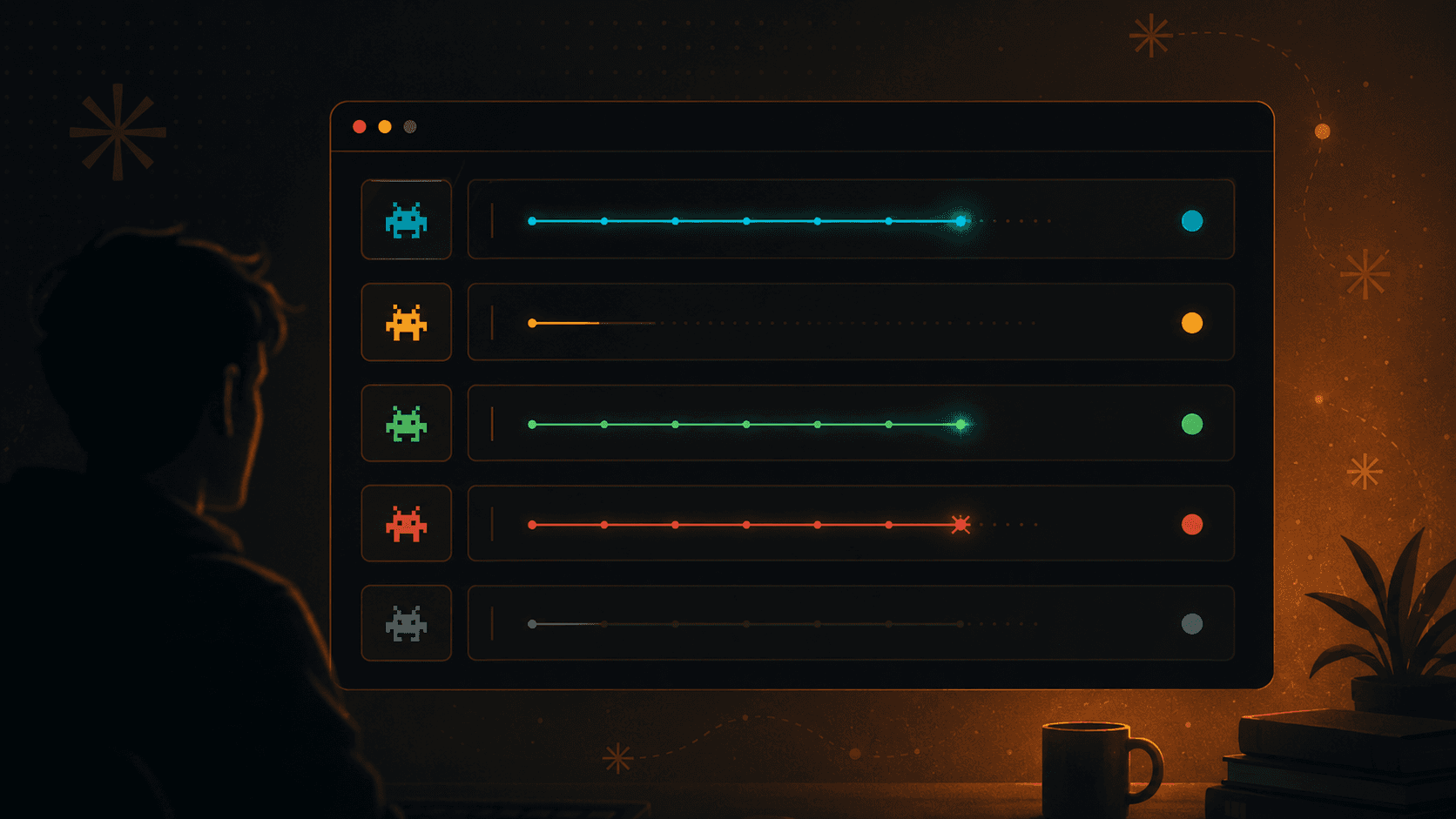
Agent view puts multiple concurrent Claude Code sessions on one screen, replacing the tmux grid that people used to build by hand. It is the difference between supervising one agent and supervising a small team.
Getting started. Launch agent view, dispatch a session with a task, switch between sessions, and close the ones you are done with. Sessions you send to the background keep working while you look at something else — that is the whole point, and it is also the part people misuse. A backgrounded agent is still consuming your usage budget.
Session states. A session is either actively working, waiting on you for input or a permission decision, finished, or failed. The states matter because a session waiting on a permission prompt is doing nothing at all while still holding its place — scan for those first when throughput feels wrong.
Choosing the right primitive. Three things look similar and are not:
- Agent view — several independent sessions you supervise, each on its own task. Use it when the tasks are unrelated and you want to keep an eye on all of them.
- Subagents — one session delegating scoped work to helpers whose results come back to it. Use it when the work is one task that decomposes.
- Agent teams — multiple agents coordinating on a shared goal. Use it when the tasks genuinely need to talk to each other.
Most people reach for the wrong one first. The test is whether the pieces of work need to know about each other. If they do not, agent view is the cheaper and simpler answer.
Limitations worth knowing before you rely on it. Concurrent sessions multiply usage consumption, so a five-session grid burns your window roughly five times as fast. Sessions do not share context, so two agents can make contradictory edits to the same file without either noticing — keep concurrent sessions on separate areas of the codebase, or expect to referee merge conflicts you created yourself.
Claude Code vs Cursor
These tools are not really competitors so much as different shapes. Cursor is an editor with an agent inside it. Claude Code is an agent that happens to live in your terminal. The choice usually follows from where you already work rather than from a feature comparison.
Cursor pricing verified against [Cursor's pricing page](https://cursor.com/pricing), August 2026.
| Plan | Cost | Notes |
|---|---|---|
| Hobby | Free | No card required. Limited agent requests |
| Pro | $20/mo | Extended limits, frontier models, MCPs, cloud agents |
| Pro+ | ~$60/mo | Higher ceiling |
| Ultra | ~$200/mo | Roughly 20× Pro usage |
| Teams | $40/user/mo | Central billing, Bugbot reviews, SSO |
| Enterprise | Custom | Pooled usage, SCIM, audit logs |
Annual billing takes roughly 20% off. Note that Bugbot, Cursor's agentic code reviewer, bills on usage on top of the Pro subscription rather than being included.
What Claude Code does better. It works anywhere a terminal works, including over SSH on a machine with no GUI. It composes with shell tooling, so it drops naturally into scripts, CI, and git hooks. It handles long autonomous runs across many files more comfortably, and it is editor-agnostic — nobody has to change how they work to adopt it.
What Cursor does better. Tab completion and inline diffs are immediate in a way a terminal cannot match. Reviewing a proposed change visually, hunk by hunk, is faster and safer than reading a diff in a scrollback buffer. There is a real free tier. And for developers who are not comfortable in a terminal, it is simply more approachable.
How to choose. If you live in a terminal, use Claude Code. If you live in an editor and want AI inside it, use Cursor. If you are running long autonomous jobs or automating anything in CI, Claude Code. If you want to evaluate before paying, start with Cursor's free tier. Plenty of people run both and stop thinking of it as a decision.
When it gets worse: reliability and what to do
In April 2026 a substantial part of the Claude Code community reported that output quality had dropped sharply. A widely circulated community analysis of several thousand sessions argued that specific silent changes were responsible, and the episode became a long-running argument about whether users can tell when a hosted model changes underneath them.
Two caveats belong on that story. The headline statistics came from community analysis rather than independent audit, so treat the specific percentages as contested rather than established. And perceived degradation is genuinely hard to measure — expectations rise, tasks get harder, and context windows fill up, all of which feel like the model getting worse.
What is not contested is the underlying problem: a hosted model can change without notice, and you have no version pin. That is a real operational risk, and the useful response is engineering rather than argument.
What actually helps:
- Keep a regression set. Ten or fifteen tasks you know the tool used to handle, with the answers you expect. Run them when something feels off. This converts "it feels worse" into evidence, and it is the only way to tell a real change from your own drift.
- Pin models explicitly where the API lets you, instead of relying on an alias that silently moves to a newer version.
- Reset context aggressively. A large fraction of perceived degradation is a session that has accumulated too much irrelevant history. Start fresh more often than feels necessary.
- Narrow your prompts. Broad instructions degrade fastest when a model changes. Specific, bounded tasks are more robust across versions.
- Keep the plan-then-execute split (
/model opusplan). Reasoning failures are more damaging and less visible than generation failures. - Do not run unattended agents on anything you cannot revert. Commit before long runs, work on a branch, and keep the diff reviewable.
The general principle: treat a hosted coding agent as a dependency that can change without a version bump, and build the same safety net you would build around any other one.