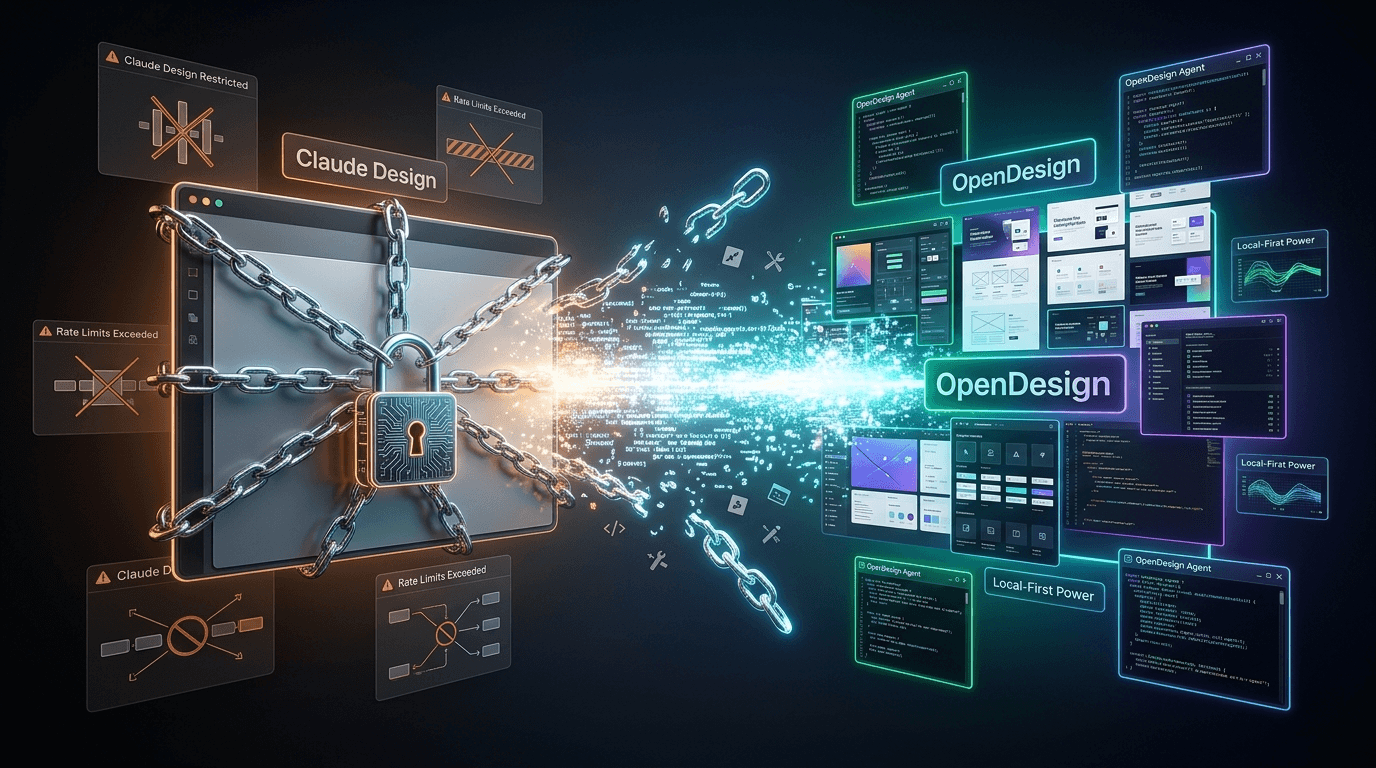
Claude Design has a price tag. Open Design doesn't.
Anthropic launched Claude Design in mid-April 2026 to a wave of breathless reviews. "Builds prototypes in minutes." "Replaces Figma for non-designers." All true. What the reviews skipped: it sits behind an Anthropic subscription, the rate limits eat through one or two serious generations before the wall comes up, you're locked to Anthropic models — no GPT, no Gemini, no Kimi — and the entire workflow is cloud-only. No way to point it at a real codebase, no way to run it offline, no way to bring your own keys.
Then, last week, the open-source community shipped Open Design. It fixes every one of those constraints. Free. Local. Bring-your-own-key. Auto-detects up to 15 different CLI coding agents, ships with 31 composable skills and 72 design systems, and imports the .zip files Claude Design exports. Here's the full breakdown.
What Open Design actually is
Open Design is an open-source AI design tool that runs entirely on your own machine. Instead of logging into a hosted product, you clone a repository, install dependencies with pnpm, and start a local web server. The interface lives at a localhost URL in your browser, but everything underneath — the file system access, the model calls, the project storage — runs through a daemon process on your machine.
That daemon is the thing that makes Open Design feel different. Most "AI design tools" are thin browser frontends with sandboxed permissions. Open Design has real file system access: it can read files, write files, run shell commands. Projects persist to a local SQLite database, so your work survives restarts and is never on someone else's servers.
The bring-your-own-key model is non-negotiable in the architecture. You wire in Anthropic Claude, OpenAI, Google, MiniMax, or any other compatible provider, and Open Design routes generations through your account. There's no token tax, no usage cap, no "upgrade to Pro" wall — your only ceiling is the rate limit on whatever API key you supply.
It also speaks MCP (Model Context Protocol), which means agents elsewhere on your machine — Claude Code, Codex CLI, Gemini CLI, Kilo Code, OpenCode — can read and write Open Design's project files directly. Finished work exports as HTML, PDF, PPTX, or a zipped bundle. And if you've already produced something in Claude Design, the .zip you exported can be imported into Open Design as a starting point.
What Claude Design won't let you do
Claude Design is a polished product, and for the right user — a non-designer who needs a slide deck or a landing page mockup in fifteen minutes — it shines. But four constraints become unacceptable the moment you push past hobby use.
The paywall. Claude Design ships as part of Anthropic's consumer subscription tier. There is no free tier that gives you the full product. If you're not paying Anthropic, you don't have access. That's a fine business model for Anthropic; it's a deal-breaker for anyone who wants to evaluate the workflow on a side project before committing budget.
The rate limits. Users on Reddit and Hacker News have been blunt about this since launch: one or two non-trivial generations and the rate limit kicks in. Claude Design uses the heaviest Anthropic models under the hood, and Anthropic meters them aggressively. The product is fast and good when it's running. It's invisible when you've burned your quota at 2 PM and the limit resets at midnight.
Anthropic models only. Anecdotally, Claude isn't the strongest model for UI work right now — Codex and Gemini are doing better on raw layout quality on most public benchmarks. Claude Design has no model picker. You can't route generations through GPT, Gemini, Kimi, or anything else. You take what Anthropic gives you.
Cloud-only, no real repo integration. Claude Design can read a codebase "during onboarding" through Anthropic's hosted infrastructure, but there's no first-class way to keep a long-running project synchronized with a local Git repo. The output lives in Anthropic's cloud, not next to your code. For a one-off marketing asset that's fine. For a design system that ships to production, it's a detour.
Open Design vs Claude Design: feature breakdown
Here's how the two stack up on the dimensions that actually matter when you're choosing between them.
| Feature | Claude Design | Open Design |
|---|---|---|
| Pricing | Anthropic subscription required | Free + bring-your-own-key |
| Hosting | Cloud-only | Local-first, web-deployed |
| Model flexibility | Anthropic models only | Any model — Claude, GPT, Gemini, MiniMax |
| Coding agent support | None | Auto-detects up to 15 CLI agents |
| Skills system | Built-in only | 31 composable skills |
| Design systems | Built-in only | 72 full design systems |
| File system access | Sandboxed | Real read/write/run |
| Persistence | Cloud-only | Local SQLite |
| Import Claude Design files | No | Yes — .zip import |
| MCP server support | Limited | Full agent-to-agent access |
| Export formats | Limited | HTML, PDF, PPTX, ZIP |
| Rate limits | Yes — burns fast | None — your own quotas |
The pattern across every row is the same: Claude Design optimizes for a clean, hosted, low-config experience, and Open Design optimizes for control. If that sounds abstract, here's the concrete version. With Claude Design you log in, prompt, export, hit the rate limit, wait. With Open Design you clone a repo, paste in an API key, prompt against whatever model is best for the task, and export to a directory next to your codebase. The Anthropic team built the product they want to sell. The community built the product the community wanted to use.
Installing Open Design on your machine
You'll need Node.js 24 or later. Everything else flows from there.
- Enable corepack so pnpm is available globally:
corepack enable - Pin pnpm to a known version:
corepack prepare pnpm@latest --activate - Verify the install —
pnpm -vshould print10.33.2or later. - Clone the repository:
git clone <repo-url> open-design - Move into the directory:
cd open-design - Install dependencies:
pnpm install - Start the local web server:
pnpm tools dev run web - Open the localhost URL the command prints — usually a
http://localhost:address — in any browser.
corepack enable
corepack prepare pnpm@latest --activate
pnpm -v
git clone <repo-url> open-design
cd open-design
pnpm install
pnpm tools dev run web
We're deliberately not hardcoding the repository URL here — the canonical location is on GitHub, and the maintainers have been moving fast in the days since launch. Search GitHub for Open Design and grab the URL from the project page directly. Verifying the source against the maintainer's profile takes thirty seconds and is worth doing for any tool that gets full file-system access on your machine.
First launch: the welcome daemon
The first time the web app loads, Open Design walks you through a configuration wizard that's doing more work than it looks like.
It scans your machine for installed CLI coding agents. If you have Claude Code, Codex, Gemini CLI, Kilo Code, OpenCode, or any of the other dozen-plus supported agents on your PATH, Open Design finds them and offers to wire them in as routing options. That auto-detection is the whole reason MCP support matters in this product — once an agent is hooked up, it can read and write project files in your Open Design workspace through the MCP server.
Next comes the BYOK setup. You pick a model provider — Anthropic, OpenAI, Google, MiniMax, or anything compatible — and paste in an API key. MiniMax is a sensible default for web design work specifically; it's competitive on quality, cheap on tokens, and the model has been tuned for visual output. You can change providers per-project later, so the first-run pick isn't permanent.
Then media providers: Fish Audio or MiniMax for text-to-speech, OpenAI for image generation. Then MCP connections — point Open Design at any local MCP servers you already run. Then language and theme. Then, optionally, a pet — a small visual companion that lives in the corner of the UI. The pets are silly. Skip them or don't.
The whole wizard takes maybe four minutes. What's underneath it is the configuration moat for this product. Most AI design tools either do BYOK badly (limited providers, awkward UX) or skip CLI agent integration entirely. Open Design does both natively, and the wizard is what makes that work feel like a single setup step instead of a three-day yak shave.
What you can actually build with it
The output types Open Design ships with cover most of the surface Claude Design covers, plus several Claude Design doesn't.
- Prototypes — clickable, multi-screen, with fake data
- High-fidelity UIs — production-grade component layouts
- Wireframes — low-fidelity, structure-first
- Slide decks — animated, themed, exportable to PPTX
- Landing pages — single-screen, marketing-oriented
- Editorial layouts — long-form pages with structured content
- Dashboards — multi-panel data layouts
- Design system files — token sets, component libraries, style guides
In-app collaboration is part of the product too. You can leave comments on specific elements, annotate flows, and send a piece back to the routing agent with edit instructions — the agent picks up the annotation and revises the file. That round-trip is the closest thing to a Figma comment that auto-applies, and it's the feature that makes Open Design feel like a tool a team can use, not just a one-shot generator.
Two features are advertised but not yet shipped at the time of this post: a native drawing tool for sketching directly in the canvas, and a guided edit feature for surgically modifying a finished design without re-prompting from scratch. Both are visible on the project's roadmap. Don't depend on them for production work yet.
Hands-on: a newsletter landing page in five minutes
To pressure-test the product, the demo most reviewers have been running is the same one: build a clean newsletter landing page from a single prompt. Here's the rough flow.
You click new project and pick blog post as the prototype type — Open Design uses prototype type as a hint to the skill system about what scaffolding to apply. You select high fidelity instead of wireframe; that pushes the routing agent toward production-grade output. You pick Codex as the routing agent (Codex is currently the strongest at UI on visual benchmarks) and answer a short popup questionnaire: target platform (desktop / web / mobile), the article angle, an art-direction preference, and one of the bundled design systems.
From there, Codex routes the request through Open Design's skill system. The composable skills break the work into steps — layout, hero section, copywriting, color palette, component selection — and each step gets the right context from the design system you picked. The whole pipeline runs once, end to end, and outputs a finished landing page in under five minutes for most prompts.
What's worth noticing: the agent isn't generating from scratch. It's composing skills against a structured design system. That's why the output looks consistent across runs and why iterating on a finished page doesn't accidentally re-roll every visual decision. It's also why bringing your own model matters — the routing layer is doing the heavy lifting, so the model just needs to be competent at structured output, not at design taste.
Which one should you actually use?
There's a clean answer here, and it's not always pick the open-source one.
Stick with Claude Design if: you already pay for an Anthropic subscription, the cloud-only workflow is a feature for you (no setup, nothing to maintain), you generate in short bursts and don't bump the rate limits, and you don't want to wire your own API keys into anything. Claude Design is the better product for occasional, high-polish, low-effort design work where the constraints don't bite.
Switch to Open Design if: you want model flexibility (Codex for layout, Gemini for content, MiniMax for cost), you already use a CLI coding agent like Codex or Claude Code and want it integrated, you need persistent local projects, you want to import .zip files you already exported from Claude Design, you've hit the rate limit more than once, or you care about keeping work and credentials on your own machine. Open Design is the better product for serious, repeated, repo-adjacent design work.
For developers reading DevPik, the Open Design case is usually the right one — most of the readership already runs at least one CLI coding agent locally, and the integration is the thing that actually changes the workflow. Claude Design is impressive on its own; Open Design wins because it's part of a larger setup you've already built.
Where this fits in the open-source AI wave
Open Design isn't an outlier — it's the latest in a clean run of open-source replacements for proprietary AI products. Mozilla Thunderbolt launched in April as the open answer to Microsoft Copilot and ChatGPT Enterprise. Kimi K2.6 shipped open-weights and beat GPT-5.4 on SWE-Bench Pro the same week. The pattern, every time, is the same: a corporate lab ships something polished and paywalled, and the community releases an open-source clone that closes most of the feature gap within weeks.
What's specific to design tools, though, is that the gap closes faster here. UI generation is unusually agent-friendly — the work breaks down cleanly into composable steps, the output is structured, and benchmark progress on coding models translates almost directly to design quality. Open Design's 31 skills and 72 design systems aren't a marketing flex; they're the thing that lets a swappable model produce consistent output across runs.
The move that's still missing in the open ecosystem is the polished hosted experience. Open Design requires a local install — there's no "sign up and start" path, by design. That's the right call for the audience adopting it now, but it's also the ceiling on adoption. Expect a hosted-but-still-bring-your-own-key fork to show up within the next quarter.
Bring it back to the code
AI-generated UIs land in your codebase as raw HTML and CSS, and the first thing you'll do every time is convert design units to code units. We built Px to Rem Converter and Em to Px Converter for exactly that step — paste a value, get the converted output, copy a Tailwind class. For aspect ratios in hero images and video embeds the AI generates, Aspect Ratio Calculator handles the conversion in one screen. All of them live under DevPik's CSS Tools, free, no signup, runs in the browser.