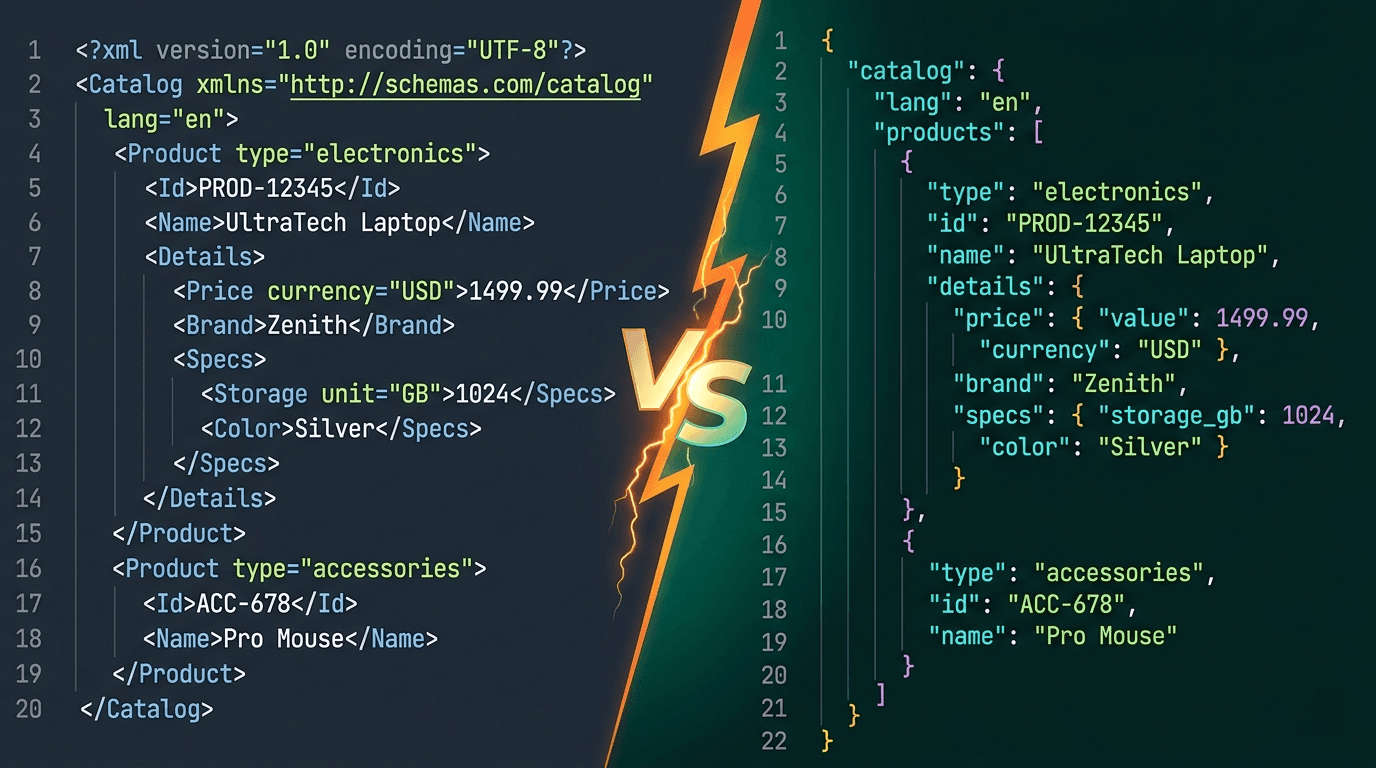
What Is XML?
XML (eXtensible Markup Language) was developed by the W3C in 1998 as a flexible way to create structured documents and data formats. It uses a tag-based syntax with opening and closing elements, attributes, namespaces, and supports comments and processing instructions.
XML was designed to be both human-readable and machine-readable. It became the backbone of enterprise computing — powering SOAP web services, RSS feeds, SVG graphics, Android layouts, Maven build files, and countless configuration formats.
<bookstore>
  <book category="fiction">
    <title lang="en">The Great Gatsby</title>
    <author>F. Scott Fitzgerald</author>
    <year>1925</year>
    <price>10.99</price>
  </book>
</bookstore>
XML's strengths include its self-describing nature, built-in schema validation (XSD), namespace support for avoiding naming conflicts, and its ability to represent complex document structures with attributes and metadata.
What Is JSON?
JSON (JavaScript Object Notation) was formalized by Douglas Crockford in the early 2000s as a lightweight data interchange format. It uses key-value pairs, arrays, and a minimal syntax derived from JavaScript object literals.
JSON's rise was fueled by the AJAX revolution and REST APIs. Its simplicity, native JavaScript compatibility, and compact syntax made it the default choice for web applications, mobile apps, and modern APIs.
{
  "bookstore": {
    "books": [
      {
        "category": "fiction",
        "title": "The Great Gatsby",
        "author": "F. Scott Fitzgerald",
        "year": 1925,
        "price": 10.99
      }
    ]
  }
}
JSON supports six data types: strings, numbers, booleans, null, objects, and arrays. It's natively parsed by every modern programming language and browser.
XML vs JSON: Head-to-Head Comparison
| Feature | XML | JSON |
|---|---|---|
| Syntax | Tag-based with opening/closing elements | Key-value pairs with braces and brackets |
| Readability | Verbose but self-describing | Compact and easier to scan |
| File size | Larger (repeated tag names) | 30-50% smaller typically |
| Parsing speed | Slower (requires XML parser) | Faster (native JSON.parse) |
| Browser support | Requires DOMParser API | Native JSON support |
| Schema validation | XSD, DTD, RelaxNG | JSON Schema |
| Comments | Supported | Not supported |
| Data types | Everything is a string | Strings, numbers, booleans, null, arrays, objects |
| Attributes | Supported | No equivalent (use nested objects) |
| Namespaces | Supported | Not supported |
When to Use XML
XML remains the right choice in several important scenarios:
SOAP APIs and enterprise services — Many legacy enterprise systems, banking APIs, and government services use SOAP, which is XML-based. If you're integrating with these systems, XML is not optional.
RSS and Atom feeds — Syndication formats are XML-based. Every blog, podcast, and news feed uses XML for distribution.
SVG graphics — Scalable Vector Graphics is an XML-based format. Every icon library, data visualization, and vector graphic on the web is XML.
Android development — Android layouts, manifests, and resources are all defined in XML.
Build tools and dependency management — Maven (pom.xml), Ant, and many CI/CD pipeline configurations use XML.
Document markup — When you need to represent complex documents with mixed content, attributes, and metadata, XML's rich structure is unmatched.
When you need schema validation — XSD provides more powerful validation than JSON Schema, including complex type hierarchies and namespace-aware validation.
When to Use JSON
JSON is the default for most modern development:
REST APIs — JSON is the universal language of REST APIs. Every major platform (GitHub, Stripe, AWS, Google Cloud) uses JSON.
Web applications — JavaScript natively understands JSON. No parsing library needed — just JSON.parse() and JSON.stringify().
Configuration files — package.json, tsconfig.json, eslintrc, Prettier, VS Code settings — the JavaScript ecosystem runs on JSON.
NoSQL databases — MongoDB, CouchDB, DynamoDB, and Firebase all store data as JSON or BSON.
Real-time data — WebSocket messages, Server-Sent Events, and real-time APIs use JSON for compact size and fast parsing.
Mobile apps — Both iOS (Codable) and Android (Kotlin serialization, Gson) have excellent JSON support.
Serverless functions — AWS Lambda, Cloud Functions, and Azure Functions all use JSON for event payloads.
Performance Comparison
Parsing speed — JSON parsing is significantly faster than XML parsing in most environments. In JavaScript, JSON.parse() is a native V8 operation, while XML requires the DOMParser API. Benchmarks show JSON parsing 5-10x faster than equivalent XML.
File size — JSON is typically 30-50% smaller than equivalent XML data because it doesn't repeat tag names in closing elements.
Serialization — JSON serialization (JSON.stringify) is faster than XML serialization in every major language. This matters for high-throughput APIs.
Network bandwidth — Smaller payloads mean faster transmission. On mobile networks, JSON's compact format provides measurable improvements.
How to Convert Between XML and JSON
When migrating between formats, you need a reliable converter that handles edge cases like attributes, arrays, CDATA sections, and namespaces.
Our free XML to JSON Converter handles bidirectional conversion with configurable attribute prefixes, automatic array detection, and support for complex nested structures.
Key conversion rules:
- XML attributes become prefixed JSON properties (@attr or _attr)
- Repeated child elements become JSON arrays
- Text content in mixed elements uses #text
- Self-closing tags become null
- CDATA content is extracted as plain text
The Verdict
JSON has won the modern web. Its simplicity, native browser support, compact size, and fast parsing make it the default choice for APIs, web apps, mobile apps, and configuration files.
But XML isn't dead — far from it. XML still dominates enterprise integration (SOAP), syndication (RSS), graphics (SVG), mobile development (Android), and any domain that needs rich document markup.
The best developers know both formats and choose the right one for each use case.
Convert between XML and JSON instantly with our free XML to JSON Converter. Try our 48+ free developer tools.
XML vs JSON — Quick Comparison Table
| Feature | XML | JSON |
|---|---|---|
| Verbosity | High — opening and closing tags for every field | Low — braces and commas |
| Readability | Moderate — familiar but verbose | High — compact and visually clean |
| Data types | Everything is a string; type enforced via XSD | Native String, Number, Bool, Null, Array, Object |
| Attributes | Yes — elements have attributes and content | No — only nested objects/keys |
| Schema | XSD, DTD, Relax NG | JSON Schema |
| Comments | Yes — <!-- comment --> | Not supported by spec |
| Namespaces | Built-in — critical for SOAP/complex docs | None — keys are plain strings |
| Mixed content | Supported (text + nested elements) | Not natively supported |
| Parsing | SAX, DOM, StAX — multiple strategies | Single JSON.parse / json.loads call |
| Wire size | Larger | Smaller |
| Best for | Document-centric data (XHTML, DocBook), SOAP APIs, legacy enterprise systems | Modern REST APIs, JavaScript-native apps, config files |
| Tooling maturity | Very mature (XSLT, XPath, XQuery) | Mature but less specialized transformation tooling |