The question this page answers
"What is the best local LLM for coding?" is the wrong question, because the answer depends entirely on how much memory you have. The right question is: given the machine in front of me, what is the best coding model I can actually run?
This page answers that. It consolidates six earlier DevPik posts — individual model write-ups, runtime comparisons, and setup guides — into one decision path: check your memory, find your tier, pick the model, pick the runtime.
Everything here assumes coding work specifically. Models that are pleasant for chat can be poor at code generation and tool calling, and the memory budget for a model doing agentic work with a long context is meaningfully higher than for one answering single questions.
Start here: what your memory buys you
Quantisation is what makes local models practical. A 4-bit quantised model needs roughly a quarter of the memory of the full-precision version, at a quality cost that is usually small and occasionally significant.
Approximate memory needed at Q4 quantisation, the mainstream choice.
| Model size | Quantisation | RAM / VRAM needed |
|---|---|---|
| 7B | Q4 | ~5–6 GB |
| 13B | Q4 | ~9–10 GB |
| 30B | Q4 | ~18–20 GB |
| 70B | Q4 | 40–48 GB |
The practical thresholds that follow from this:
- 8 GB — 7B models only, and tightly. Fine for autocomplete and single questions, frustrating for anything agentic.
- 16 GB — comfortably runs 7B–13B. This is where local coding assistance starts being genuinely useful.
- 24 GB — the sweet spot for consumer hardware. 30B-class models fit with room for context.
- 32 GB+ — 30B models with long context, no compromises.
- 48–64 GB — higher quantisations of 30B-class models, or 70B at Q4.
On Apple Silicon, unified memory counts — a 32 GB M-series machine behaves roughly like 32 GB of VRAM for this purpose, and is one of the better local inference platforms available because of it.
The number that matters is not the model size, it is the model size plus your context. A 17 GB model on a 24 GB card leaves 7 GB for context, key-value cache and overhead. That is comfortable for normal use and tight for a 200k-token agentic session. Budget for the context you actually intend to use.
What to run at each tier
Model recommendations verified August 2026. Model availability in this space changes monthly; treat these as the shape of the answer rather than a permanent list.
24 GB VRAM or unified memory — the recommended target
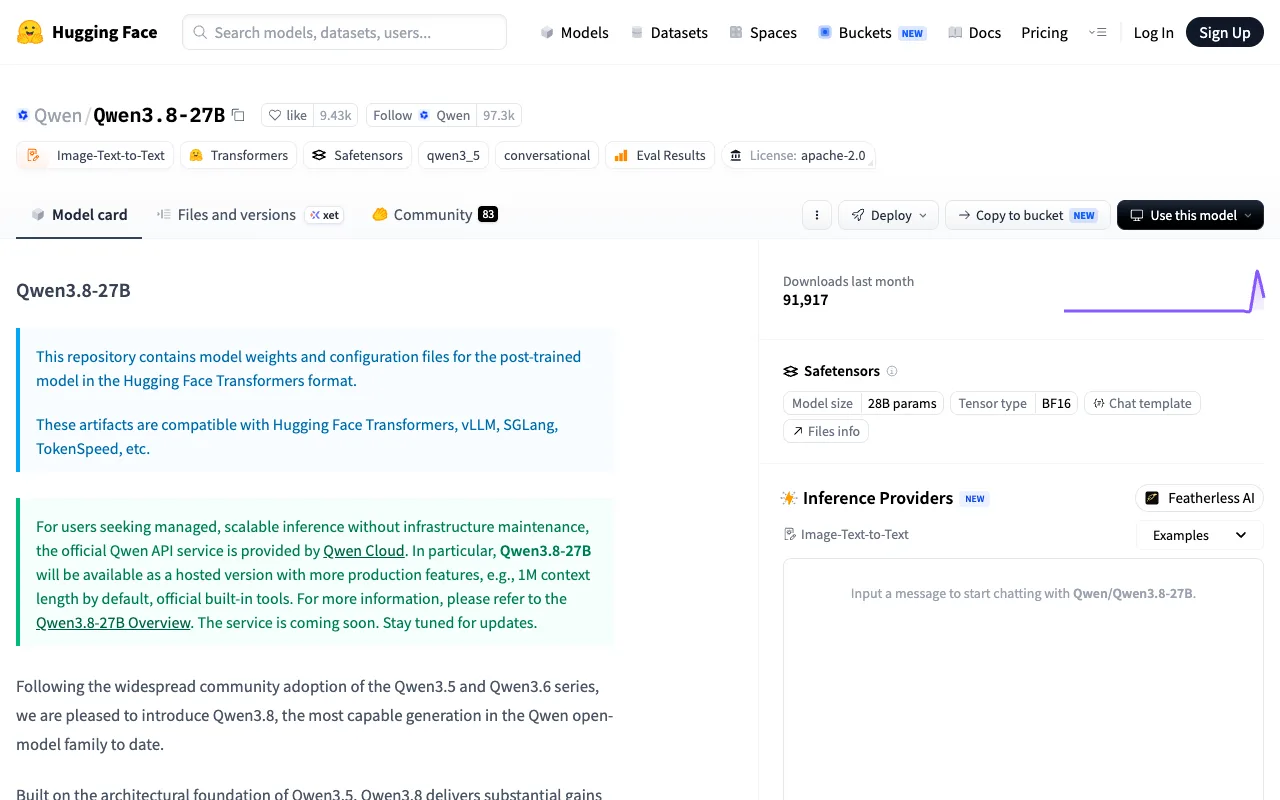
Qwen 3.8 27B is the strongest local coding model in this class as of August 2026. It reports 61.7% on SWE-Bench Pro and 79.0% on QwenSWEBench, which puts it at or above several proprietary frontier models on published coding benchmarks. It is Apache-2.0 licensed, lands at 16.8 GB in the mainstream Q4_K_M quantisation, and has a 262,144-token native context extendable to 1M via YaRN.
A 27B dense model matters here for a practical reason: dense models have predictable memory behaviour and quantise cleanly, whereas mixture-of-experts models of nominally similar size can behave much less predictably under quantisation.
| Your memory | Qwen 3.8 27B at Q4 | Verdict |
|---|---|---|
| 24 GB (RTX 4090 / 3090) | 14–17 GB | Comfortable |
| 32 GB | 14–17 GB | Room for long context |
| 48–64 GB | higher quants available | Ideal, no compromises |
| 16 GB | smaller quants only | Tight, quality drops noticeably |
| Under 16 GB | spills to system RAM | A few tokens/sec — painful |
16 GB, no GPU
gpt-oss:20b or a 7B Qwen coder at Q4. Workable for one-shot questions, genuinely slow for agentic loops where the model is called repeatedly. Set expectations accordingly.
32 GB Apple Silicon (M2/M3/M4)
gpt-oss:20b, a 13B coder model, or a small GLM. This is a productive daily driver for most tasks and probably the best value-per-watt local setup available.
64 GB+ with a 24 GB+ GPU
gpt-oss:120b, Qwen 3 Coder 32B, or DeepSeek Coder V2. Frontier-adjacent quality on your own hardware.
Any laptop, via a cloud free tier
Worth naming honestly: for most readers the best free option is not local at all. Ollama Cloud's free tier serves kimi-k2.6:cloud, deepseek-v4-pro:cloud and glm-5.1:cloud — models far beyond consumer hardware — at no cost. If your motivation is "free" rather than "private" or "offline", start there.
What open weights do not mean
A licence tells you what you are permitted to do. It says nothing about whether your hardware can do it.
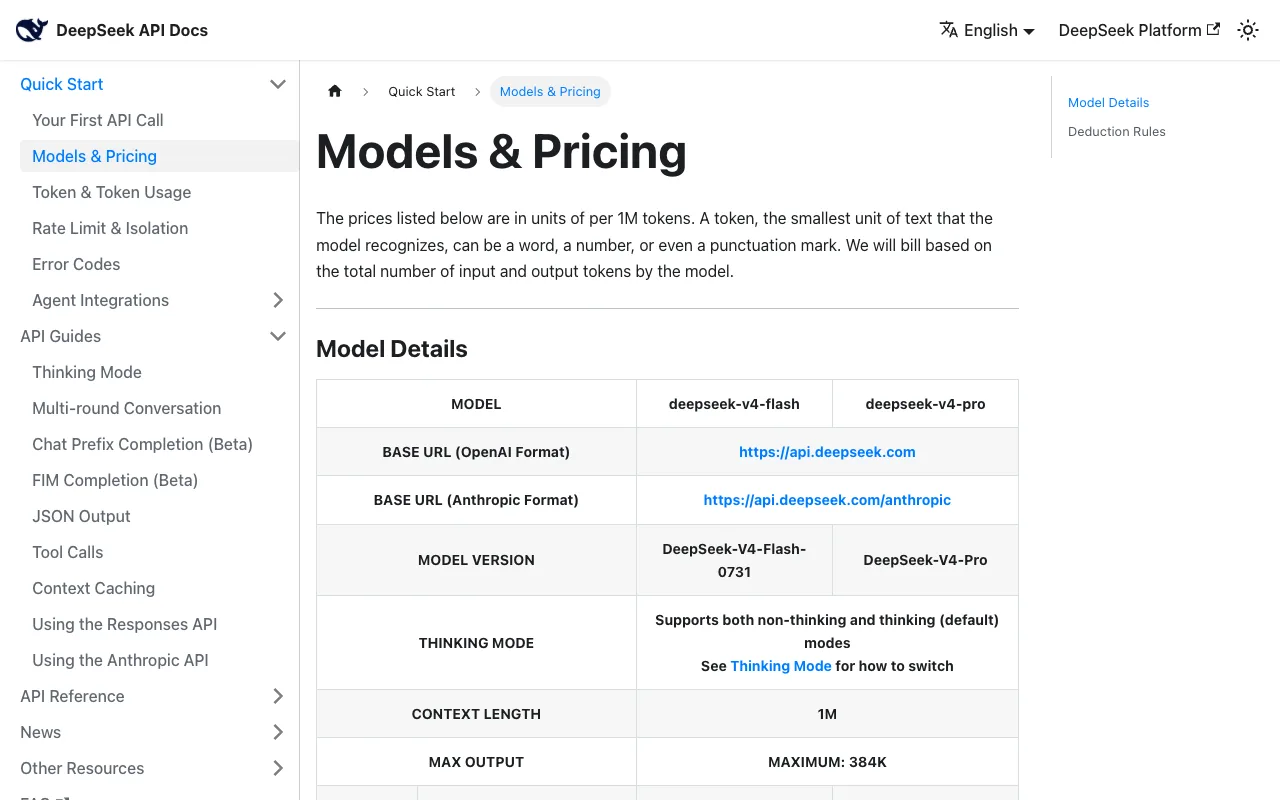
DeepSeek V4 Flash is MIT-licensed, which reads like an invitation to self-host. The weights are approximately 167 GB. That is multi-GPU server territory — nowhere near a desktop, let alone a laptop. It is a genuinely open model that is genuinely impractical to run locally, and both halves of that sentence are true at once.
This distinction gets lost constantly in discussions of open models. When you see an open-weight release announced, the useful question is not "is it open?" but "what is the quantised size, and does that fit what I own?" A 27B dense model at 17 GB is a local model. A 167 GB model is a cloud model that happens to have a permissive licence.
The corollary: the best local model is rarely the best open model. Qwen 3.8 27B wins the local category not because it is the strongest open-weight model in absolute terms, but because it is the strongest one that fits on a single consumer GPU.
Runtime: Ollama or LM Studio
Once you know which model you want, you need something to run it. The two mainstream choices solve different problems, and picking by preference rather than by requirement is how people end up fighting their tooling.
| Your situation | Pick |
|---|---|
| Writing code that calls a local model | Ollama — REST API, no GUI dependency |
| Deploying in Docker or on a headless server | Ollama — LM Studio needs a desktop session |
| First time running a local model | LM Studio — the catalogue tells you what fits |
| On an M-series Mac, want speed with no setup | LM Studio — MLX by default |
| Company forbids closed-source binaries | Ollama — MIT vs proprietary |
| Comparing several models before committing | LM Studio — much faster evaluation loop |
| Serving concurrent requests | Ollama — built for it |
| Machine is just short of the model you want | LM Studio — per-layer GPU offload |
Two details that decide more cases than the feature lists do.
LM Studio is an Electron application, and that memory is not free. On a 16 GB laptop trying to fit a 13B model, several hundred megabytes of GUI overhead is roughly the difference between fitting a larger quantisation and not. On a 32 GB machine it is irrelevant. The tighter your memory, the more Ollama's headless design is worth.
LM Studio's per-layer GPU offload is the escape hatch for near-misses. When a model is slightly too large for your VRAM, being able to place specific layers on the GPU and the rest in system RAM often turns "unusably slow" into "acceptable". Ollama's automatic handling is simpler but gives you less control at exactly the moment control matters.
The common end state is both installed: LM Studio to evaluate models quickly and find what fits, Ollama to serve whatever you settled on.
When local is the wrong answer
Local inference is genuinely worse than an API for some purposes, and it is worth being clear about which.
If your reason is cost, do the arithmetic first. A 24 GB GPU is a real capital expense, plus power, plus your time configuring and maintaining it. Against API pricing where cached input can run at fractions of a cent per million tokens, the break-even is further out than enthusiasm suggests. See the LLM API pricing comparison for the rates to compare against.
If you need frontier capability, local will disappoint. A 27B model at 61.7% on SWE-Bench Pro is genuinely impressive and still behind what the largest hosted models do on hard problems. For the hardest 10% of tasks the gap is real and noticeable.
If you need long context with large models, memory compounds against you. Context is not free. A long agentic session's key-value cache can rival the model itself in memory, and this is where local setups fail unexpectedly — everything works fine until the session gets long.
Local wins clearly on three things. Privacy, where code cannot leave your machine for policy or contractual reasons. Offline capability, where there is no network to depend on. And latency predictability, where you are not sharing capacity with anyone else or subject to someone's rate limits.
Those are good reasons. "It is cheaper" often is not, and it is the reason people most frequently give.