Absolute CSS Units: Px, Pt, Cm, Mm, In, Pc
Absolute units have a fixed size regardless of the parent element or viewport. In web development, pixels (px) are the most commonly used absolute unit.
Pixels (px) are the foundational unit of screen display. One CSS pixel corresponds to one device pixel on a standard-density display (1x), but on high-DPI screens (Retina, 2x, 3x), a CSS pixel maps to multiple physical pixels. This is why a "1px border" still looks sharp on a Retina display — the browser automatically scales it.
Other absolute units — pt (points, 1pt = 1/72 inch), cm (centimeters), mm (millimeters), in (inches), and pc (picas, 1pc = 12pt) — are designed for print stylesheets, not screen display.
When to use px: Borders, box-shadows, outlines, fine-tuned spacing where you need exact pixel control, and elements that should never scale with user font preferences.
Rem (Root Em) — The Accessibility Champion
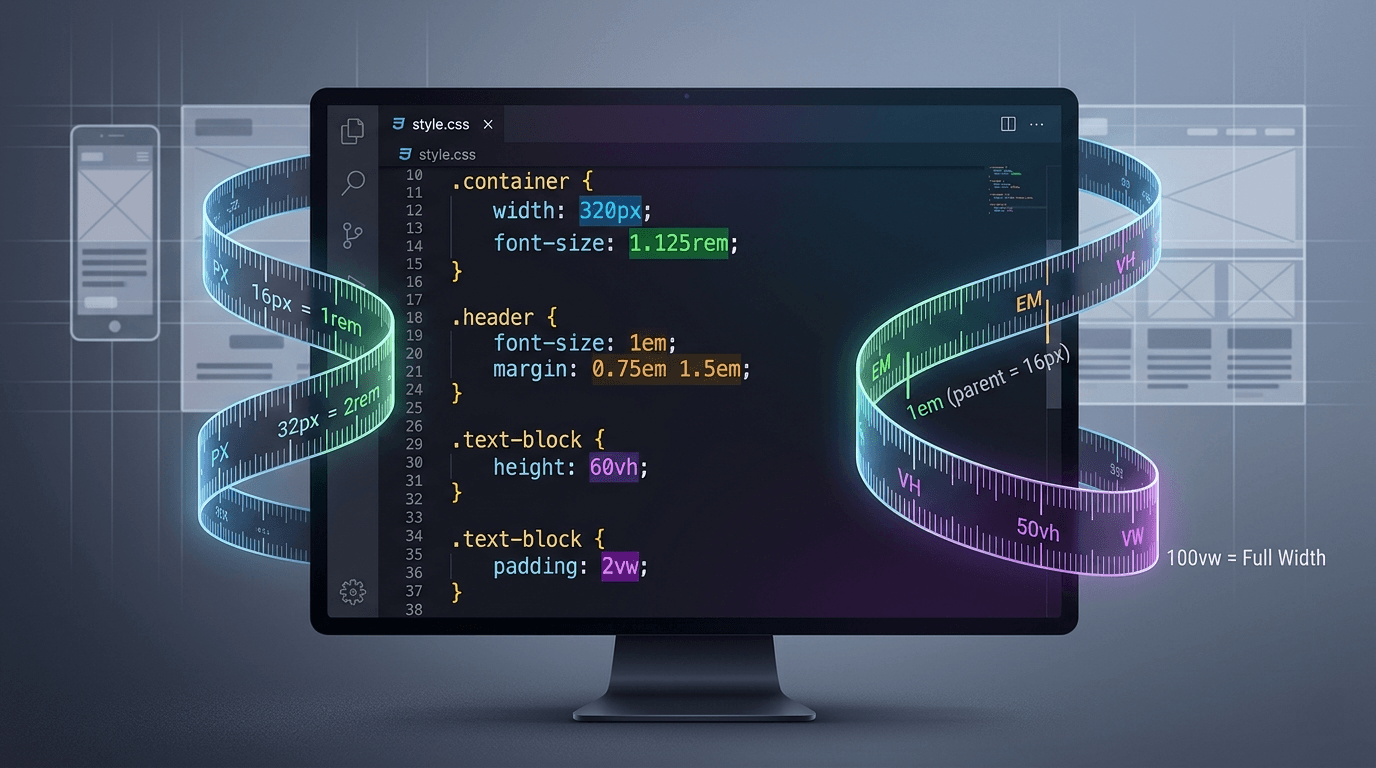
Rem is relative to the root element's font size (the <html> element). By default, browsers set this to 16px, so 1rem = 16px.
The critical advantage of rem: it respects user font size preferences. If a user sets their browser default font size to 20px for accessibility, all rem-based sizing scales proportionally. This is why rem is the recommended unit for font sizes, spacing, and layout dimensions.
Common conversions: 12px = 0.75rem, 14px = 0.875rem, 16px = 1rem, 18px = 1.125rem, 20px = 1.25rem, 24px = 1.5rem, 32px = 2rem.
Convert px to rem easily with our free Px to Rem Converter.
Em (Relative to Parent) — Use With Caution
Em is relative to the parent element's computed font size, not the root. This makes em useful for component-scoped scaling but dangerous when nested.
The compounding effect is the #1 gotcha with em units. If a parent has font-size: 18px, a child with 1.5em = 27px. A nested grandchild with 1.5em = 40.5px — not 27px! Each level multiplies the parent.
Use em deliberately for components where you want proportional scaling relative to the component's own text size — for example, padding on a button that should grow with the button's font size.
Px vs Rem vs Em — The Big Comparison
Pixels are absolute — always the same regardless of context. Great for borders and shadows, but they ignore user accessibility preferences.
Rem is relative to the root font size — consistent and predictable across the entire page. The best choice for font sizes and spacing because it respects browser font size settings.
Em is relative to the parent font size — useful for component-scoped scaling but compounds when nested. Use only when you specifically need parent-relative sizing.
The recommendation: Use rem as your default unit for font sizes and spacing. Use px for borders and decorative elements. Use em only when you specifically need parent-relative scaling.
Viewport Units: VW, VH, VMin, VMax
Viewport units are percentages of the browser viewport dimensions:
- vw — 1% of the viewport width (100vw = full width)
- vh — 1% of the viewport height (100vh = full height)
- vmin — 1% of the smaller dimension
- vmax — 1% of the larger dimension
The mobile vh problem: On mobile browsers, 100vh includes the area behind the URL bar, causing content to extend below the visible viewport. The fix: use 100dvh (dynamic viewport height) which accounts for the browser chrome.
Viewport units are perfect for full-screen hero sections, viewport-relative typography, and layouts that need to fill the screen.
Percentage, Ch, and Other Relative Units
Percentage (%) is relative to the parent element's corresponding property. 50% width means half the parent's width. Essential for fluid layouts and grid systems.
ch — Width of the "0" character. Perfect for max-width: 65ch on text containers, which limits paragraphs to the optimal ~65 characters per line for readability.
ex — Height of the "x" character. Rarely used in practice but available for precise typographic control.
When to Use Each CSS Unit
- Font sizes → rem (accessible, consistent)
- Spacing (padding/margin) → rem (scales with text)
- Component internal spacing → em (scales with component)
- Container widths → %, max-width in px/rem (fluid with maximum)
- Full-screen sections → dvh, vw (viewport-relative)
- Borders and outlines → px (should not scale)
- Box shadows → px (decorative, fixed)
- Media query breakpoints → px (clearest intent)
- Line height → unitless like 1.5 (relative to own font)
- Max reading width → ch (character-based)
Common Pitfalls to Avoid
1. Using px for font sizes: Your text won't respect user accessibility preferences. Always use rem for font sizes.
2. Em compounding: Nested em values multiply unexpectedly. If you see text that's too large or small in nested components, em compounding is likely the cause.
3. 100vh on mobile: The classic bug — a full-height hero extends behind the mobile browser's URL bar. Use 100dvh or 100svh instead.
4. Mixing units inconsistently: Pick a system and stick with it. Rem for typography and spacing, px for borders and shadows, % for container widths.
5. The 62.5% trick: Setting html font-size to 62.5% makes 1rem = 10px for easier math, but it can break third-party components and confuse team members.
Practical Conversion Examples
Common px to rem conversions at 16px root:
- 10px = 0.625rem
- 12px = 0.75rem
- 14px = 0.875rem
- 16px = 1rem
- 18px = 1.125rem
- 20px = 1.25rem
- 24px = 1.5rem
- 32px = 2rem
- 48px = 3rem
- 64px = 4rem
Need instant conversions? Use our free Px to Rem Converter. For print and image sizing, try our Pixels to Inches Converter.
Convert between CSS units instantly with our free CSS Tools — all running 100% client-side in your browser. Try our 40+ free developer tools.
CSS Units — Quick Reference Table
| Unit | Type | Relative To | Typical Use | Accessibility-Friendly |
|---|---|---|---|---|
px | Absolute | Nothing (pixel-based) | Borders, shadows, precise element sizing | No — ignores user font size |
rem | Relative | Root html font size | Font sizes, spacing, layout widths | Yes |
em | Relative | Parent element font size | Component-scoped sizing, icon scaling | Yes, but compounds |
% | Relative | Parent element dimension | Fluid layouts, responsive widths | Yes |
vw | Relative | 1% of viewport width | Full-bleed elements, hero typography | Partial |
vh | Relative | 1% of viewport height | Full-height heroes, modal overlays | Partial |
vmin | Relative | Smaller of vw / vh | Square-ish elements on mobile | Partial |
vmax | Relative | Larger of vw / vh | Oversized hero text | Partial |
ch | Relative | Width of 0 in current font | Max line-length for readability | Yes |
ex | Relative | Height of lowercase x | Rare — font-metric alignment | Yes |
fr | Relative | Available grid space | CSS Grid track sizing | Yes |
cm / mm / in | Absolute | Physical measurement | Print stylesheets only | N/A |
pt / pc | Absolute | Typographic point (1/72in) | Print stylesheets, email templates | N/A |