The May 2026 question: is there a free escape hatch?
Yesterday GitHub paused new Copilot Pro+ signups and quietly removed Opus from the Pro tier. Two weeks earlier, Anthropic announced that Claude Agent SDK and `claude -p` will draw from a separate metered credit starting June 15. For anyone running agents on a subscription, the writing is on the wall: flat-rate AI coding plans are getting squeezed, and the squeeze is going to keep happening.
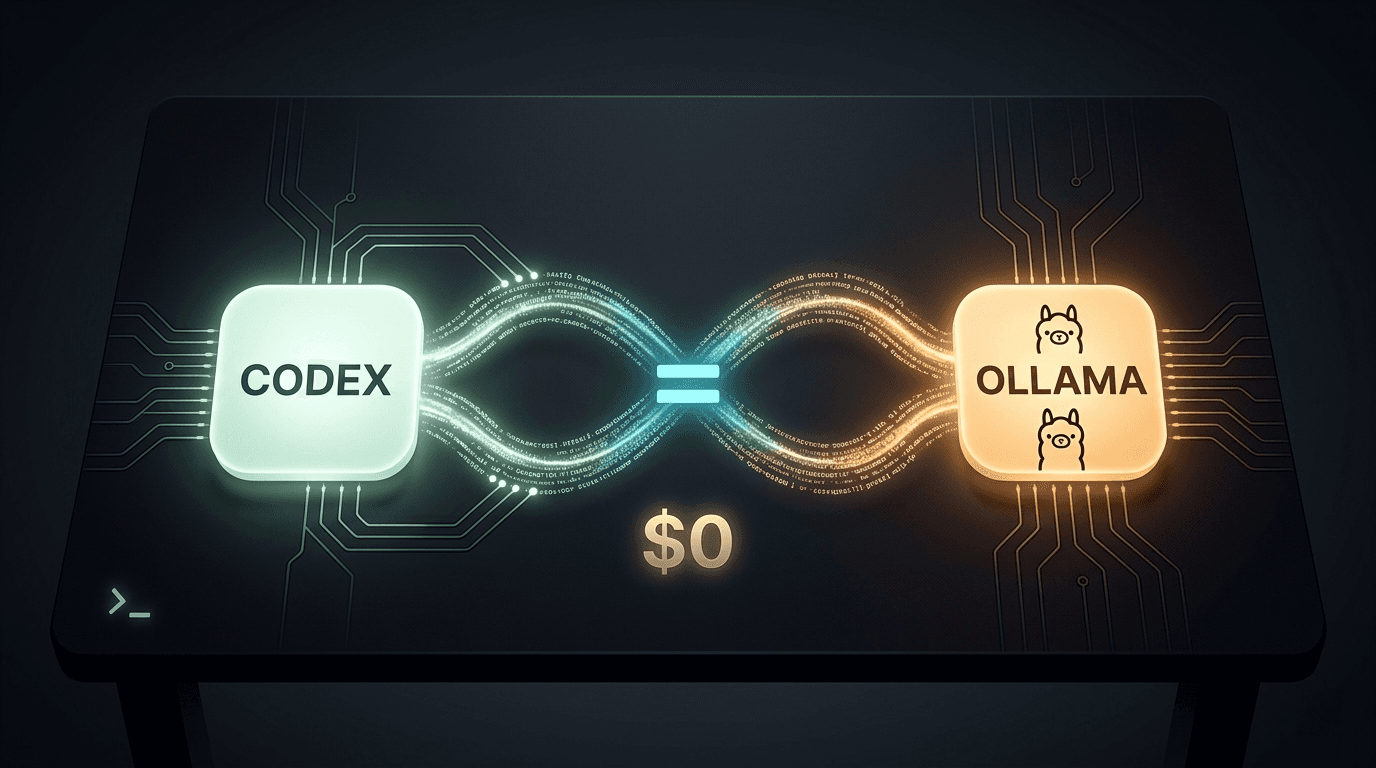
The question every developer reading this is asking is the same one: is there a free escape hatch? Yes — and the surprising part is that it ships with an OpenAI logo on it. Codex CLI is free. Ollama is free. Plug them together with three commands and you have an agentic coding tool driving open-weight models on your own machine, at $0/month. Plug it into Ollama Cloud's new free tier and you get frontier-class models like Kimi K2.6 and DeepSeek V4 Pro doing the same work, also at $0/month.
The word "unlimited" gets thrown around a lot in this corner of the internet. We will use it carefully. Below is the actual May 2026 setup: every command, the config that survives a Codex update, an honest hardware table, a tier list of models worth using, and the six catches nobody else will tell you about. The wire_api warning alone will save you an afternoon.
What Codex CLI actually is in May 2026
Codex CLI is not the deprecated 2021 model. It is OpenAI's current agentic coding command-line tool — npm-installed, open-source, and designed to read, edit, and execute code in your working directory. The full reference lives at developers.openai.com/codex/cli/reference.
The piece that matters for this guide is hidden in the advanced config docs: Codex has first-class support for swapping its inference backend. The --oss flag tells Codex to look for a local OSS provider; the broader mechanism is a TOML config at ~/.codex/config.toml that defines named providers and profiles. Three provider IDs are reserved: openai, ollama, and lmstudio. Everything else you give a name.
That detail is the whole game. Codex doesn't care whether the model behind it is GPT-5.4 or Qwen 3 Coder running on your laptop. It speaks the OpenAI Chat Completions / Responses API; anything that can speak that API can drive Codex. Ollama speaks it. LM Studio speaks it. Any vLLM or llama.cpp server speaks it.
There is a positioning question worth naming. Codex is OpenAI's answer to Claude Code's agent-view experience and the broader category of in-terminal coding agents. The tool itself is free to install and free to use against your own model backend. What costs money is which model you point it at — and that is the lever this guide is about.
What Ollama gives you — plus the new free Cloud tier
Ollama is the OpenAI-compatible LLM runner that has become the default on-ramp for running open-weight models locally. One-line install on macOS/Linux/Windows, ollama pull <model> to grab weights, and an OpenAI-compatible API on localhost:11434/v1. Codex points there. Everything works.
The piece most tutorials still miss is the Ollama Cloud free tier. Ollama Cloud is Ollama's hosted inference service, and the free tier is real, public, and currently underutilized. You authenticate Ollama against the cloud, prefix model names with :cloud, and Ollama transparently routes those calls to Ollama's GPUs instead of yours. The catalog of available cloud models lives at ollama.com/search?c=cloud and includes serious open weights: glm-5.1:cloud, deepseek-v4-pro:cloud, kimi-k2.6:cloud, minimax-m2.7:cloud, and gpt-oss:120b-cloud. The free tier is GPU-time metered rather than token metered, and the published pricing page lists Pro at $20/month and Max at $100/month for heavier use.
This is the linchpin of "frontier-quality at $0." Most readers of this guide do not have a $4,000 GPU. They do have an Ollama account. Ollama Cloud's free tier lets Kimi K2.6 — a model that beats GPT-5.4 on SWE-Bench Pro — drive Codex on their MacBook Air without spending a cent. The only cost is the discipline to read the next section before you celebrate.
The 30-second setup
Three commands to a working Codex + Ollama stack on macOS or Linux:
# 1. Install Codex CLI
npm install -g @openai/codex

# 2. Install Ollama
curl -fsSL https://ollama.com/install.sh | sh

# 3. Pull a model
ollama pull gpt-oss:20b
On macOS and Windows you'll generally use the GUI installer from ollama.com instead of the install script.
Once both are installed, the simplest launch:
codex --ossThat tells Codex to look for the OSS provider — Ollama running on localhost:11434/v1 — and pick a model interactively. If you're on Ollama v0.24 or later, the documented one-liner that ships with Ollama's Codex integration is even simpler:
ollama launch codexThat command opens a model picker, prepares Codex with the right base URL, and launches you straight into a coding session. The first time you run it, Codex creates ~/.codex/config.toml, which is where the next section earns its rent.
The `~/.codex/config.toml` worth saving
The 30-second setup gets you a working session. A permanent setup means writing a config that survives Codex updates, that you can copy across machines, and that lets you switch between fast/local and frontier/cloud profiles with a single flag. Drop this in ~/.codex/config.toml:
[model_providers.ollama-launch]
name = "Ollama"
base_url = "http://localhost:11434/v1"
wire_api = "responses"

[profiles.local-fast]
model = "gpt-oss:20b"
model_provider = "ollama-launch"

[profiles.local-best]
model = "gpt-oss:120b"
model_provider = "ollama-launch"

[profiles.cloud-frontier]
model = "kimi-k2.6:cloud"
model_provider = "ollama-launch"
Usage at the command line:
codex --profile local-fast       # quick everyday tasks, your laptop's GPU
codex --profile local-best       # serious work, real GPU required
codex --profile cloud-frontier   # Ollama Cloud free tier, frontier models
The single most important line in that config is `wire_api = "responses"`. Codex switched its preferred API surface from Chat Completions to the Responses API in early 2026, and tutorials written before February will instruct you to set wire_api = "chat" — which silently fails on current Codex builds. You get a session that opens, accepts your first message, and then hangs. No useful error. The fix is one word in the config and most people spend an afternoon finding it. This is the single biggest reason old guides "don't work anymore."
While you are in there, set the context window. Codex's agent loop wants room to breathe, and Ollama's defaults are too small:
export OLLAMA_CONTEXT_LENGTH=65536The Ollama Codex docs explicitly recommend at least 64k tokens for Codex. Set this in your shell profile so it's not a per-session ritual.
Hardware reality — what actually runs on what
Most "run frontier coding models on your laptop" content elides the hardware question. Here is the honest version:
| Hardware | Models that run well | Real UX |
|---|---|---|
| 16 GB RAM, no GPU | gpt-oss:20b, Qwen 3 Coder 7B (Q4) | Slow. OK for one-shot questions. Painful for agentic loops. |
| 32 GB RAM, Apple Silicon (M2/M3/M4) | gpt-oss:20b, qwen2.5-coder:13b, GLM-4.7 small | Productive daily driver for most tasks. |
| 64+ GB RAM, 24+ GB VRAM GPU | gpt-oss:120b, Qwen 3 Coder 32B, DeepSeek Coder V2 | Frontier-adjacent at home. |
| Any laptop → Ollama Cloud free tier | kimi-k2.6:cloud, deepseek-v4-pro:cloud, glm-5.1:cloud | The best free option for most readers. |
The honest recommendation: if you don't already have a serious GPU, do not spend time optimising CPU-only local inference for agentic work. The token rate is too slow for an agent that needs to plan, edit, run a test, read output, and iterate. You'll burn an hour waiting for one task. Use Ollama Cloud's free tier instead, and save local inference for the cases where it actually matters — privacy-sensitive code or being offline.
This is the same realism we applied to the Needle on-device model guide: hardware constraints determine which open-source play actually works for you, and pretending otherwise wastes your evening.
The best models to actually use
Cataloging open-weight coding models in May 2026 is its own job. The shortlist that matters for Codex, organised by where you can run them:
Tier A — frontier-class, run on Ollama Cloud free tier. Kimi K2.6 and DeepSeek V4 Pro are the standouts. Kimi posts the strongest SWE-Bench Pro numbers in open weights; DeepSeek V4 Pro is the more reliable agent driver in the third-party benchmarks at AkitaOnRails and MindStudio's 2026 coding survey. Both are available as :cloud tags inside Ollama.
Tier B — strong daily drivers. GLM-5.1, Qwen 3.6 Plus, MiniMax M2.5 / M2.7, and gpt-oss:120b all sit just behind the Tier-A pair. They're cheaper to run, faster, and good enough for 80% of tasks. GLM-5.1 in particular has become a community favourite on Ollama Cloud for the cost-per-task ratio.
Tier C — best local on consumer hardware. Qwen 2.5 Coder 32B, DeepSeek Coder V2, gpt-oss:20b, and Gemma 4 26B are the open weights you can credibly run on a workstation. WhatLLM.org's coding leaderboard gives a current ranking; the bottom line is that gpt-oss:20b is the safest one-line answer for a laptop without a big GPU.
If you want a single one-line recommendation: with a real GPU, gpt-oss:120b or qwen3-coder:32b locally. Without, kimi-k2.6:cloud via Ollama Cloud's free tier. Everything else is an optimisation.
The catches nobody else will tell you
This section is what makes this post different from the YouTube tutorials. Six honest caveats:
1. `wire_api = "responses"` is mandatory on recent Codex. Already covered above, repeated here because it is the single most common setup failure in 2026. Pre-February tutorials are wrong. If your Codex session hangs after the first prompt, this is almost certainly your problem.
2. Toolchain instability is the real bottleneck. AkitaOnRails' May 2026 benchmark called out lifecycle bugs in Ollama, llama.cpp quantization regressions, and Cloudflare-edge timeouts on Ollama Cloud during heavy bursts. None of these are deal-breakers; all of them are real and you will hit at least one. Keep a way to restart Ollama and a fallback model in your config.
3. The quality gap is real on the hardest 10–20% of tasks. Frontier closed models — Claude Opus, GPT-5.x — still win on deep multi-file refactors on unfamiliar codebases, on subtle test-driven debugging, and on tasks that need vision. Open weights have closed the gap on routine work; they have not closed it on the hardest stuff. Plan accordingly.
4. Context window discipline matters. Codex's agent loop reads files, runs tests, and reads output. Cheap context limits choke it. Set OLLAMA_CONTEXT_LENGTH=65536 (or higher, hardware permitting) as a baseline. Defaults are not enough.
5. "Unlimited" is wrong. Ollama Cloud's free tier is GPU-time-capped, not token-capped, and the quotas are not publicly disclosed. Expect throttling under heavy continuous use. This is consistent with yage.ai's recent comparison of Ollama Cloud against direct API and subscription billing. The free tier is genuinely useful; it is not a credit card replacement for a production team.
6. No vision yet via the OSS path. Codex's cloud experience supports multimodal inputs — screenshots, diagrams, UI mocks. The OSS provider path does not currently route vision tokens cleanly to Ollama. If your work needs vision, keep a paid Codex tier or an Anthropic API key on hand.
When NOT to use this stack
The $0 stack is a default, not a religion. Specific cases where you should reach past it:
- The hardest 10–20% of coding tasks — multi-file refactors on unfamiliar code, subtle distributed-systems debugging, complex algorithm work. Closed frontier models are still meaningfully better here.
- Anything that needs vision — UI screenshots, diagram-to-code, design-to-implementation. Use Codex's cloud experience or Claude.
- Production automation where reliability matters — CI pipelines, customer-facing automations, anything that bills downtime in revenue. Direct API key billing is more predictable than the free tier's undisclosed quotas.
- Latency-sensitive work without a GPU — CPU inference for an agentic loop is slow enough to break flow.
The mature pattern is to keep this stack as your default and a Claude API key or GPT-5.x API key as your escalation path. Most readers will spend $0 80% of the time and $5–$20/month on API tokens for the hard 20%.
Why this matters right now — the May 2026 subscription squeeze
The timing is not an accident. Inside the last two weeks: Anthropic announced Agent SDK metering starting June 15, GitHub paused new Copilot Pro+ signups, and Opus was removed from Claude's Pro plan. The pattern is consistent — flat-rate subscriptions priced for interactive humans cannot subsidize agents that run 24/7. Every major provider is going to keep tightening, because the alternative is to lose money on every active agent user.
We covered the technical reason for this in detail in our piece on the Claude Agent SDK change and the broader stakes in our Claude Code degradation post. What's changed in the last 14 days is the public-facing rhetoric — providers are no longer pretending the squeeze is temporary.
Codex + Ollama is the open-source escape hatch that doesn't depend on any single vendor's pricing decisions. Combined with model-agnostic agent runtimes like Hermes Agent and the broader emerging open-source agent stack, it lets you build a workflow that survives whatever Anthropic, GitHub, or OpenAI decide to charge for next month.
Verdict and stack recommendation
The opinionated close:
- Default daily driver:
codex --profile cloud-frontierwithkimi-k2.6:cloudvia Ollama Cloud's free tier. Frontier-class quality, $0, works on any laptop. - Local fallback for offline work or privacy-sensitive code:
codex --profile local-bestwithgpt-oss:120b(real GPU) orcodex --profile local-fastwithgpt-oss:20b(no GPU). - Escalation path for the hardest 20% of tasks: a Claude API key or GPT-5.x API key, used at standard pay-as-you-go rates.
- Total monthly cost for 80% of dev work: $0. For everything including escalation: $5–$20 in API spend.
If you've been waiting for a reason to leave a $100/month subscription before Anthropic's June 15 metering kicks in, this is the reason. Install Codex, install Ollama, drop the config above into ~/.codex/config.toml, and you are out from under the squeeze before the next bill arrives.